
About Department
 The Department of Information Technology was established with a sanctioned intake of 60 to offer B.Tech course. In its pursuit of the mission, the department invests its efforts continuously in identifying the additional skills empowering programs that not only enhance the employability of the students but also equip them to successfully pursue their career path. A well-balanced team of faculty that is a right mix of experience and energetic youth facilitates the right academic environment needed for academic excellence in the overall development of the learner.
Salient Features
- The department has made rapid strides in promoting excellence in engineering education by the relentless pursuit of quality in teaching and training, keeping in mind the utility of students for future assignments in industries.
- To inculcate innovative thinking through collaborative research.
- To develop interpersonal skills through participation in the process of technology transfer.
- The department has well equipped labs to meet the needs of the Information Technology applications. There are well qualified and dedicated non- teaching staff support the students in the laboratories.
- The department also encourages internships under various industrial organizations. The Department is periodically updating its curriculum to stay relevant to the current Industrial Needs.
- The department is conducting various workshops and conferences to appraise the students and staff with the emerging technologies in the field of Information Technology.
- To provide a learning environment that promotes quality research.
- To inculcate the spirit of ethical values contributing to the welfare of the society.
- Well planned infrastructural facilities in terms of hardware, licensed software, and network including Internet connectivity with open access to all through dedicated Internet to cater the needs of the student and faculty.
- Planned Schedule and Conduct add on courses that are helpful for students to pursue their career. Established innovation and research centers in Learner friendly environment where the students are engorged to /participate in technical seminars, technical events organized in the college as well as outside.






Accreditation


HOD Profile
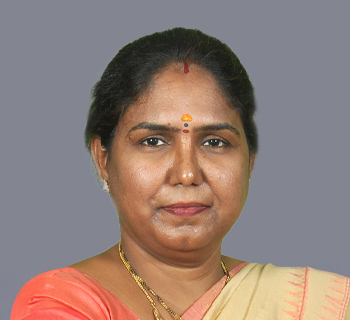
Dr.S Mani Kuchibhatla
Professor & Head of the Department – IT
Dr. S. Mani Kuchibhatla is a renowned academician, researcher, and Professor & Head of the Department of Information Technology at ACE Engineering College. With over 21 years of teaching experience and 7 years of research expertise, she has made significant contributions in the fields of Power Systems Engineering, Renewable Energy, Electric Vehicles, IoT, AI, and Emerging Technologies. She completed her Ph.D. from JNTU Kakinada and has actively contributed to academic leadership, NBA accreditation, research supervision, and institutional development.
Her research and academic contributions include publishing more than 25 papers in reputed national and international journals indexed in Scopus, SCI, and Web of Science. She has also authored books on Hybrid & Electric Vehicles, Renewable Energy, and IoT Applications, while contributing book chapters in internationally recognized publications. In addition, she has served as a conference convener, IEEE faculty coordinator, reviewer for peer-reviewed journals, and subject expert for JNTUH.
Dr. Mani is also recognized for her innovation and interdisciplinary expertise through numerous professional certifications and patents. She has completed advanced NPTEL certifications in Smart Grids, Electric Vehicles, Quantum Computing, Blockchain, Industry 4.0, and Data Mining. Her innovative work is reflected in 8 Indian patents and 2 UK patents related to renewable energy, cybersecurity, electric vehicles, AI-based systems, and smart technologies, highlighting her commitment to research-driven technological advancement
Vision and Mission

Our vision:
To attain prominence in Information Technology by preparing competent professionals with technical expertise, innovative thought, ethical values, and social responsibility, to address societal and industrial needs.
Our Mission:
- M1: Impart technical knowledge, analytical ability, and practical problem-solving skills to enable excellence in Information Technology.
- M2: Promote research, innovation, and entrepreneurship in emerging computing technologies to meet global and industrial requirements.
- M3: Instil ethical values, leadership qualities, teamwork, social responsibility, and a commitment to lifelong learning for holistic professional growth.
Objectives of the IT Department:
- Provide Quality Technical Education facilities to every student admitted to the College and facilitate the development of all round personality of the students.
- Provide incentives and encouragement to motivate staff and students to actively involve in research-innovative projects in collaboration with industry and R & D centre’s on continuous basis.
- Graduates will be able to pursue higher studies with good knowledge in core areas of Information Technology and promote collaborative research.
- Invite more and number of persons from industry from India and abroad for collaboration and promote Industry-Institute Partnership.
- Graduates will be able to excel as an entrepreneur with the potential knowledge to design software -based solutions for societal needs.
Program Educational Objectives (PEOs)
- PEO1: Industry & Technology Readiness: Graduates will meet industry and technological demands with strong technical knowledge, analytical ability, and problem-solving skills.
- PEO2: Technical Excellence & Professional Competence : Graduates will excel with technical skills, professional competence, and adaptability in global and industrial environments.
- PEO3: Ethical, Social & Entrepreneurial Growth : Graduates will uphold ethics, communication, teamwork, leadership, social responsibility, and entrepreneurship for holistic growth.
Knowledge and Attitude Profile (WK)
WK1: A systematic, theory-based understanding of the natural sciences applicable to the discipline and awareness of relevant social sciences.
WK2: Conceptually-based mathematics, numerical analysis, data analysis, statistics and formal aspects of computer and information science to support detailed analysis and modelling applicable to the discipline.
WK3: A systematic, theory-based formulation of engineering fundamentals required in the engineering discipline.
WK4: Engineering specialist knowledge that provides theoretical frameworks and bodies of knowledge for the accepted practice areas in the engineering discipline; much is at the forefront of the discipline.
WK5: Knowledge, including efficient resource use, environmental impacts, whole-life cost, reuse of resources, net zero carbon, and similar concepts, that supports engineering design and operations in a practice area. WK6: Knowledge of engineering practice (technology) in the practice areas in the engineering discipline.
WK7: Knowledge of the role of engineering in society and identified issues in engineering practice in the discipline, such as the professional responsibility of an engineer to public safety and sustainable development.
WK8: Engagement with selected knowledge in the current research literature of the discipline, awareness of the power of critical thinking and creative approaches to evaluate emerging issues.
WK9: Ethics, inclusive behavior and conduct. Knowledge of professional ethics, responsibilities, and norms of engineering practice. Awareness of the need for diversity by reason of ethnicity, gender, age, physical ability etc. with mutual understanding and respect, and of inclusive attitudes.
Program Outcomes (POs)
PO1: Engineering Knowledge: Apply knowledge of mathematics, natural science, computing, engineering fundamentals and an engineering specialization as specified in WK1 to WK4 respectively to develop to the solution of complex engineering problems.
PO2: Problem Analysis: Identify, formulate, review research literature and analyze complex engineering problems reaching substantiated conclusions with consideration for sustainable development. (WK1 to WK4)
PO3: Design/Development of Solutions: Design creative solutions for complex engineering problems and design/develop systems/components/processes to meet identified needs with consideration for the public health and safety, whole-life cost, net zero carbon, culture, society and environment as required. (WK5)
PO4: Conduct Investigations of Complex Problems: Conduct investigations of complex engineering problems using research-based knowledge including design of experiments, modelling, analysis & interpretation of data to provide valid conclusions. (WK8)
PO5: Engineering Tool Usage: Create, select and apply appropriate techniques, resources and modern engineering & IT tools, including prediction and modelling recognizing their limitations to solve complex engineering problems. (WK2 and WK6)
PO6: The Engineer and The World: Analyze and evaluate societal and environmental aspects while solving complex engineering problems for its impact on sustainability with reference to economy, health, safety, legal framework, culture and environment. (WK1, WK5, and WK7)
PO7: Ethics: Apply ethical principles and commit to professional ethics, human values, diversity and inclusion; adhere to national & international laws. (WK9)
PO8: Individual and Collaborative Team work: Function effectively as an individual, and as a member or leader in diverse/multi-disciplinary teams.
PO9: Communication: Communicate effectively and inclusively within the engineering community and society at large, such as being able to comprehend and write effective reports and design documentation, make effective presentations considering cultural, language, and learning differences
PO10: Project Management and Finance: Apply knowledge and understanding of engineering management principles and economic decision-making and apply these to one’s own work, as a member and leader in a team, and to manage projects and in multidisciplinary environments.
PO11: Life-Long Learning: Recognize the need for, and have the preparation and ability for i) independent and life-long learning ii) adaptability to new and emerging technologies and iii) critical thinking in the broadest context of technological change. (WK8)
Program Specific Outcomes (PSOs)
- PSO1: Technical Competency Development. Enable graduates to develop technical competencies by providing opportunities to utilise laboratory facilities, software tools, emerging technologies, and practical training for professional practice.
- PSO2: Innovative Computing Solutions. Equip graduates with computing knowledge and emerging technologies to analyse, and implement innovative solutions to real-world problems through projects, research, and industry-oriented practice.
Faculty
| Name of the Programme | IT | |
|---|---|---|
| Approved Intake (2025) | 60 | |
| No. of Faculty Members | 12 | |
| Cadre | Number | |
| Professor | 04 | |
| Assoc. Professor | 02 | |
| Asst. Professor | 06 | |
| Faculty Profile | Qualification | No. of Faculty |
| Ph.D | 06 | |
| Ph.D (Pursuing) | 04 | |
| Post Graduate | 02 | |
| Technical Staff | Programmer | 03 |
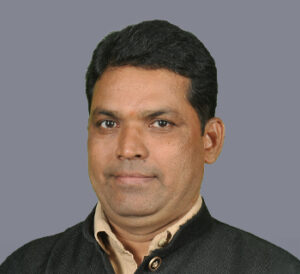


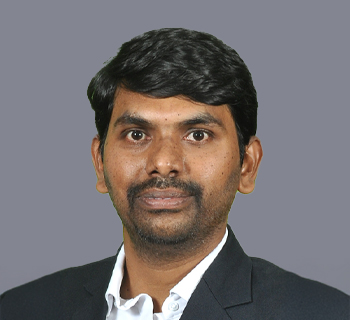
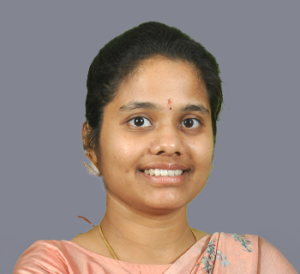


Research and Development
List of Research Scholars
Faculty Details
| S.No. | Name of the Faculty | Department | Designation | Area of Research | Registration Year |
|---|---|---|---|---|---|
| 1 | Mr. C. Venkatesh | IT | Associate Professor | Composite Materials | 2021 |
| 2 | Mr. S. Venu Gopal | IT | Assistant Professor | Deep Learning | 2022 |
| 3 | Mr. G. Prasad | IT | Assistant Professor | Machine Learning and Deep Learning | 2022 |
| 4 | Mr. M. Siva Kumar | IT | Assistant Professor | Machine Learning and Deep Learning | 2024 |
Faculty Research Publications
Faculty Research Publications
| S. No | Name of the Faculty | Title of Research Paper | ISSN Number | Journal Name | Year of Publication |
|---|---|---|---|---|---|
| 1 | Prof. K Jaya Bharathi | 1. Smart Exam Oversight System | 2582-5208 | IRJMTS | May-24 |
| 2. AI Based Life Supporting Capsule Using IOT | 1005-0299 | MST | May-24 | ||
| 3. Immutable and Secure FIR registration system using blockchain | 2582-5208 | IRJMETS | May-24 | ||
| 4. Performance comparison of Routing protocols in MANET | 2320-3765 | IJAREEIE | Jun-14 | ||
| 2 | Mr. G Prasad | 1. Water Quality Analysis and Prediction using Deep Learning | 2582-5208 | IRJMETS | May-24 |
| 2. WhatsApp Birthday Bot | 2583-1062 | IJPREMS | May-24 | ||
| 3. Credit Card Fraud Detection Using Outlier Factor | 2231-3990 | Alochana Chakra | Jun-20 | ||
| 3 | Mr. Vallala Mahender | 1. Fruit Quality Prediction | 2583-1062 | IJPREMS | May-24 |
| 2. Crop Yield Prediction | 2583-1062 | IJPREMS | May-24 | ||
| 4 | Mrs. D. Manasa | 1. Energy Efficient Routing Protocol for Wireless Sensor Networks | 2321-0869 | IJETR | Feb-20 |
| 2. Decentralized online voting system using blockchain | 2583-1062 | IJPREMS | May-24 | ||
| 5 | Mrs. P. Soujanya | 1. Smart Charity Using Blockchain Technology | 2583-1062 | IJPREMS | May-24 |
| 6 | Mrs. Vagolu Vanaja | 1. Wild Animal Alert Detection Using Deep Learning | 2583-1062 | IJPREMS | May-24 |
| 7 | Mrs. V. Swetha | 1. Secure Intrusion Detection with Blockchain | 2583-1062 | IJPREMS | May-24 |
| 8 | Mr. S. Venu Gopal | 1. AES Algorithm Encryption Techniques | 2319-8353 | IRJMETS | Apr-24 |
| 9 | Mr. M. Siva Kumar | 1. Automated Question Generation System | 2583-1062 | IJPREMS | May-24 |
FACULTY PAPER PUBLICATIONS 2024
- Prof.K.Jaya Bharathi with paper ID IRJMETS60500250126 has published a paper entitled “SMART EXAMINATION OVERSIGHT SYSTEM” in International Journal of Modernization in Engineering Technology and Science (IRJMETS), Volume 05, Issue 05, May 2024,e-ISSN: 2582-5208.
- Prof.K.Jaya Bharathi has published a paper entitled “AI BASED LIFE SUPPORTING CAPSULE USING IOT” in International Journal of Material Science and Technology (IRJMETS), Volume 05, Issue 05, May 2024.
- Prof.K.Jaya Bharathi has published a paper entitled “ BLOCKCHAIN BASED FIR REGISTRATION AND SECURING THE SYSTEM ” in International Journal of Progressive Research in Engineering Management and Science (IJPREMS), Volume 05, Issue 05, May 2024.
- Mr.M.Shivakumar assistant professor with paper ID IJPREMS40500050755 has published a paper entitled “AUTOMATED ASSESSMENT QUESTIONS GENERATION SYSTEMS USING SUPERVISED ALGORITHMS” in International Journal of Progressive Research in Engineering Management and Science(IJPREMS), Volume 04, Issue 05, May 2024. e-ISSN: 2583-1062.
- Mr.M.Shivakumar assistant professor with paper ID “IJPREMS40500062483” has published a paper entitled “DETECTION OF PROHIBITED MESSAGES AND IMAGES” in International Journal of Progressive Research in Engineering Management and Science (IJPREMS), Volume 04, Issue 05, May 2024, e-ISSN: 2583-1062.
- Mrs.P.Soujanya assistant professor with paper ID IRJMETS60500290437 has published a paper entitled “ROBUST AND SECURE DATA TRANSMISSION USING ARTIFICIAL INTELLGINCE TECHNIQUES IN AD-HOC NETWORKS” in International Research Journal Of Modernization In Engineering Technology And Science (IRJMETS), Volume 06, Issue 05, May 2024, e-ISSN: 2582-5208.
- Mrs.P.Soujanya assistant professor with paper ID IJPREMS40500062170 has published a paper entitled “SMART CHARITY INNOVATING THROUGH BLOCKCHAIN TECHNOLOGY” in InternationalJournal of Progressive Research in Engineering Management and Science (IJPREMS), Volume 04, Issue 05, May 2024, e-ISSN: 2583-1062.
- Mrs.V.Vanaja assistant professor with paper ID IJPREMS40500058749 has published a paper entitled “WILD ANIMAL ALERT DETECTION SYSTEM USING DEEP LEARNING” in International Journal of Progressive Research in Engineering Management and Science(IJPREMS), Volume 04, Issue 05, May 2024, e-ISSN:2582-5208.
- Mrs.V.Vanaja assistant professor with paper ID IRJMETS60500262541 has published a paper entitled “DECODING HATE: A COMPARATIVE EXPLORATION OF HATE SPEECH DETECTION IN SOCIAL MEDIA MEMES” in International Research Journal Of Modernization In Engineering Technology And Science (IRJMETS), Volume 06, Issue 05, May 2024, e-ISSN:2582-5208.
- Mrs.V.Vanaja assistant professor with paper ID IRJMETS60500270847 has published a paper entitled “SECURING INFORMATION THROUGH ADVANCED IMAGE STEGANOGRAPHYAND CRYPTOGRAPHIC METHODS” in International Research Journal of Modernization in Engineering Technology and Science (IRJMETS), Volume 06, Issue 05, May 2024. e-ISSN: 2582-5208
- Mrs.D.Manasa assistant professor with paper ID IJPREMS40500050755 has published a paper entitled “DECENTRALIZED ONLINE VOTING SYSTEM USING HASHED BLOCKCHAIN ” in International Journal of Progressive Research in Engineering Management and Science(IJPREMS), Volume 04, Issue 05, May 2024, e-ISSN: 2583-1062
- Mrs.D.Manasa assistant professor with paper ID IJPREMS40500050755 has published a paper entitled “DECENTRALIZED ONLINE VOTING SYSTEM USING HASHED BLOCKCHAIN ” in International Journal of Progressive Research in Engineering Management and Science(IJPREMS), Volume 04, Issue 05, May 2024, e-ISSN: 2583-1062
- Mrs.V.Swetha assistant professor with paper ID IJPREMS40500056833 has published a paper entitled “A SECURE FEDERATED INTRUSION DETECTION MODEL WITH BLOCKCHAIN AND DEEPLEARNING” in International Journal of Progressive Research in Engineering Management and Science (IJPREMS),Volume 04, Issue 05, May 2024, e-ISSN: 2583-1062.
- Mrs.V.Swetha assistant professor with paper ID “IRJMETS60500281755” has published a paper entitled “CLASSIFICATION OF TELUGU NEWS ARTICLES USINGNLP” in International Research Journal Of Modernization In Engineering Technology And Science (IRJMETS), Volume 06, Issue 05, May 2024, e-ISSN: 2582-5208.
- Mr.V.Mahender assistant professor with paper ID IJPREMS40500075476 has published a paper entitled “CROP YIELD PREDICTION” in International Journal of Progressive Research inEngineering Management and Science (IJPREMS), Volume 04, Issue 05, May 2024, e-ISSN: 2583-1062.
- Mr.V.Mahender assistant professor with paper ID IJPREMS40500071279 has published a paper entitled “FRUIT QUALITY PREDICTION” in International Journal of Progressive Research in Engineering Management and Science (IJPREMS), Volume 04, Issue 05, May 2024, e-ISSN: 2583-1062.
- Mr.S.Venugopal assistant professor with paper ID “IRJMETS60500279013” has published a paper entitled “SMART TRAFFIC OPTIMIZATION THROUGH CANNY EDGE DETECTION AND DENSITY ANALYSIS” in International Research Journal Of Modernization In Engineering Technology And Science (IRJMETS), Volume 06, Issue 05, May 2024, e-ISSN: 2582-5208.
- Mr.S.Venugopal assistant professor with paper ID “IRJMETS60500272069” has published a paper entitled “IMAGE CAPTION GENERATOR USING DEEP LEARNING AND NLP TECHNIQUES” in International Research Journal Of Modernization In Engineering Technology And Science (IRJMETS), Volume 06, Issue 05, May 2024 e-ISSN: 2582-5208.
- Mr.G.Prasad assistant professor with paper ID IRJMETS60500234298 has published a paper entitled “WATER QUALITY ANALYSIS AND PREDICTION USING DEEP LEARNING ” in International Research Journal Of Modernization In Engineering Technology And Science (IRJMETS), Volume 06, Issue 05, May 2024 e-ISSN: 2582-5208.
- Mr.G.Prasad assistant professor with paper ID IJPREMS40500073779 has published a paper entitled “WHATSAPP BIRTHDAY BOT” in International Journal of Progressive Research in Engineering Management and Science (IJPREMS), Volume 04, Issue 05, May 2024, e-ISSN: 2583-1062
- Mr.SonuSharma assistant professor has published a paper entitled “CHURN PREDICTION USING MACHINE LEARNING IN BANKING SECTOR ” in International Journal of Progressive Research in Engineering Management and Science (IJPREMS),Volume 04, Issue 05, May 2024, e-ISSN: 2583-1062.
- Mr.SonuSharma assistant professor has published a paper entitled “FAKE PROFILE IDENTIFICATION IN SOCIAL NETWORK “ in International Journal of Progressive Research in Engineering Management and Science (IJPREMS),Volume 04, Issue 05, May 2024, e-ISSN: 2583-1062.
Patents
List of Research Papers published in various Journals
PATENTS
| S. No. | Name Of The Faculty | Title Of The Invention | International Classification | Month & Year Of Publication | Application No. |
|---|---|---|---|---|---|
| 1 | Prof. K Jaya Bharathi | System and Method for Automatically Summarizing Text | Computer Science | Jan-20 | 202041001299 |
| 2 | Mr. S. Venu Gopal | Face Detection and Identification in Networked Video Surveillance Systems Using Adaptive Learning Algorithm | Electronics | Dec-23 | 202341077353 |
| 3 | Mr. M. Siva Kumar | Face Detection and Identification in Networked Video Surveillance Systems Using Adaptive Learning Algorithm | Electronics | Dec-23 | 202341077353 |
Infrastructure
The department of Information Technology is present in Second floor, Sesha Sai Block of the campus
The department of Information Technology is well equipped with
- 4 Classrooms
- 6 Labs
- 1 Seminar Hall
Each Lab and Classroom is equipped with
- Smart Board
- White Board
- LCD Projector
- 6/7 KVA Delta UPS
- 50 W AHUJA Portable Speaker
All the Labs are equipped with DELL Desktops with good Internet Connectivity and Latest Software
Dell Optiplex 7010 Tower Desktops
- I7 Processor
- 16 GB Ram
- 512 GB SSD Hard Disk
- 20’’ LCD Monitor
Dell Vastro 3910 Desktops
- 8 GB Ram
- 1TB HDD
- I3 Processor
- 18’’ LCD monitor
Dell Vastro 3888 Desktops
- 8 GB Ram
- 1TB HDD
- I3 Processor
- 18’’ LCD monitor
Dell Optiplex Desktops
- 4 GB Ram
- 500 GB HDD
- I3 Processor
- 18’’ LCD monitor
PROGRAMMING FOR PROBLEM SOLVING LAB
Simple numeric problems
- a) Write a program for finding the max and min from the three numbers.
- b) Write the program for the simple, compound interest.
- c) Write a program that prints a multiplication table for a given number and the number of rows in the table. For example, for a number 5 and rows = 3, the output should be:
- 5 x 1 = 5
- 5 x 2 = 10
- 5 x 3 = 15
- d) Write a program that shows the binary equivalent of a given positive number between 0 to 255.
Expression Evaluation
- a) Write a C program, which takes two integer operands and one operator from the user, performs the operation and then prints the result. (Consider the operators +,-,*, /, % and use Switch Statement).
- b) Write a program that finds if a given number is a prime number.
- c) Write a C program to find the sum of individual digits of a positive integer and test given number is palindrome.
- d) A Fibonacci sequence is defined as follows: the first and second terms in the sequence are 0 and 1. Subsequent terms are found by adding the preceding two terms in the sequence. Write a C program to generate the first n terms of the sequence.
Arrays, Pointers and Functions
- Write a C program to find the minimum, maximum and average in an array of integers.
- Write a C program that uses functions to perform the following
- I. Addition of Two Matrices
- II. Multiplication of Two Matrices
- Write a program for reading elements using a pointer into an array and display the values using the array.
- Write a program for display values reverse order from an array using a pointer.
Files
- a) Write a C program which copies one file to another, replacing all lowercase characters with their uppercase equivalents.
- b) Write a C program to merge two files into a third file (i.e., the contents of the first file followed by those of the second are put in the third file).
Strings
- Write a C program that uses functions to perform the following operations
- To insert a sub-string into a given main string from a given position.
- To delete n Characters from a given position in a given string
- b) Write a C program to determine if the given string is a palindrome or not (Spelled same in both directions with or without a meaning like madam, civic, noon, abcba, etc.)
- c) Write a C program that displays the position of a character ch in the string S or – 1 if S doesn’t contain ch.
- d) Write a C program to count the lines, words and characters in a given text.
Sorting and Searching
- Write a C program that uses non-recursive function to search for a Key value in a given list of integers using linear search method.
- Write a C program that uses non-recursive function to search for a Key value in a given sorted list of integers using binary search method.
- Write a C program that implements the Bubble sort method to sort a given list of integers in ascending order.
- Write a C program that sorts the given array of integers using selection sort in descending order
- Write a C program that sorts the given array of integers using insertion sort in ascending order
- Write a C program that sorts a given array of names.
DATA STRUCTURES LAB
- 1. Write a program that uses functions to perform the following operations on singly linked list.: i) Creation ii) Insertion iii) Deletion iv) Traversal
- 2. Write a program that uses functions to perform the following operations on doubly linked list.: i) Creation ii) Insertion iii) Deletion iv) Traversal
- 3. Write a program that uses functions to perform the following operations on circular linked list.: i) Creation ii) Insertion iii) Deletion iv) Traversal
- 4. Write a program that implement stack (its operations) using i) Arrays ii) ADT
- 5. Write a program that implement Queue (its operations) using i) Arrays ii) ADT
- 6. Write a program that implements the following sorting methods to sort a given list of integers in ascending order i) Radix Sort, ii) Heap sort, iii) Shell Sort, iv) Tree Sort
- 7. Write a program to implement the tree traversal methods (Recursive and Non-Recursive).
- 8. Write a program to implement i) Binary Search tree ii) B Trees iii) B+ Trees iv) AVL trees v) Red – Black trees
- 9. Write a program to implement the graph traversal methods.
- 10. Write a program to implement the following Hash Functions: i) Division Method, ii) Multiplication Method, iii) Mid-square Method, iv) Folding Method
PYTHON PROGRAMMING LAB
- I. L T P C 0 0 2 1 Use a web browser to go to the Python website http://python.org. This page contains information about Python and links to Python-related pages, and it gives you the ability to search the Python documentation. II. Start the Python interpreter and type help() to start the online help utility.
- 2. Start a Python interpreter and use it as a Calculator.
- 3. Write a program to calculate compound interest when principal, rate and number of periods are given.
- 4. Read the name, address, email and phone number of a person through the keyboard and print the details.
- 5. Print the below triangle using for loop. 5 4 4 3 3 3 2 2 2 2 1 1 1 1 1
- 6. Write a program to check whether the given input is digit or lowercase character or uppercase character or a special character(use ‘if-else-if’ ladder)
- 7. Python program to print all prime numbers in a given interval (use break)
- 8. Write a program to convert a list and tuple into arrays.
- 9. Write a program to find common values between two arrays.
- 10. Write a function called palindrome that takes a string argument and returns True if it is a palindrome and False otherwise. Remember that you can use the built-in function len to check the length of a string.
- 11. Write a function called is_sorted that takes a list as a parameter and returns True if the list is sorted in ascending order and False otherwise.
- 12. Write a function called has duplicates that takes a list and returns True if there is any element that appears more than once. It should not modify the original list.
- 13. Write a function called remove duplicates that takes a list and returns a new list with only the unique elements from the original. Hint: they don’t have to be in the same order.
- 14. The wordlist I provided, words.txt, doesn’t contain single letter words. So you might want to add “I”, “a”, and the empty string.
- 15. Write a python code to read dictionary values from the user. Construct a function to invert its content. i.e., keys should be values and values should be keys.
- 16. Add a comma between the characters. If the given word is ‘Apple’, it should become ‘A,p,p,l,e’
- 17. Remove the given word in all the places in a string?
- 18. Write a function that takes a sentence as an input parameter and replaces the first letter of every word with the corresponding upper case letter and the rest of the letters in the word by corresponding letters in lower case without using a built-in function?
- 19. Writes a recursive function that generates all binary strings of n-bit length
- 20. Write a python program that defines a matrix and prints
- 21. Write a python program to perform multiplication of two square matrices
- 22. How do you make a module? Give an example of construction of a module using different geometrical shapes and operations on them as its functions.
- 23. Use the structure of exception handling all general-purpose exceptions.
- 24. Write a function called draw rectangle that takes a Canvas and a Rectangle as arguments and draws a representation of the Rectangle on the Canvas.
- 25. Add an attribute named color to your Rectangle objects and modify draw rectangle so that it uses the color attribute as the fill color.
- 26. Write a function called draw point that takes a Canvas and a Point as arguments and draws a representation of the Point on the Canvas.
- 27. Define a new class called Circle with appropriate attributes and instantiate a few Circle objects. Write a function called draw circle that draws circles on the canvas.
- 28. Write a python code to read a phone number and email-id from the user and validate it for correctness.
- 29. Write a Python code to merge two given file contents into a third file.
- 30. Write a Python code to open a given file and construct a function to check for given words present in it and display on found.
- 31. Write a Python code to Read text from a text file, find the word with most number of occurrences
- 32. Write a function that reads a file file1and displays the number of words, number of vowels, blank spaces, lower case letters and uppercase letters.
- 33. Import numpy, Plotpy and Scipy and explore their functionalities.
- 34. Install NumPypackage with pip and explore it.
- 35. Write a program to implement Digital Logic Gates – AND, OR, NOT, EX-OR
- 36. Write a GUI program to create a window wizard having two text labels, two text fields and two buttons as Submit and Reset
IT WORKSHOP
- PC Hardware
- Task 1: Identify the peripherals of a computer, components in a CPU and its functions. Draw the block diagram of the CPU along with the configuration of each peripheral and submit to your instructor.
- Task 2: Every student should disassemble and assemble the PC back to working condition. Lab instructors should verify the work and follow it up with a Viva. Also, students need to go through the video which shows the process of assembling a PC. A video would be given as part of the course content.
- Task 3: Every student should individually install MS windows on the personal computer. Lab instructor should verify the installation and follow it up with a Viva.
- Task 4: Every student should install Linux on the computer. This computer should have windows installed. The system should be configured as dual boot with both Windows and Linux. Lab instructors should verify the installation and follow it up with a Viva
- Internet & World Wide Web
- Task1: Orientation & Connectivity Boot Camp: Students should get connected to their Local Area Network and access the Internet. In the process they configure the TCP/IP setting. Finally, students should demonstrate, to the instructor, how to access the websites and email. If there is no internet connectivity preparations need to be made by the instructors to simulate the WWW on the LAN.
- Task 2: Web Browsers, Surfing the Web: Students customize their web browsers with the LAN proxy settings, bookmarks, search toolbars and pop-up blockers. Also, plug-ins like Macromedia Flash and JRE for applets should be configured.
- Task 3: Search Engines & Netiquette: Students should know what search engines are and how to use the search engines. A few topics would be given to the students for which they need to search on Google. This should be demonstrated to the instructors by the student.
- Task 4: Cyber Hygiene: Students would be exposed to the various threats on the internet and would be asked to configure their computer to be safe on the internet. They need to customize their browsers to block pop ups, block active x downloads to avoid viruses and/or worms.
- LaTeX and WORD
- Task 1 – Word Orientation: The mentor needs to give an overview of LaTeX and Microsoft (MS) office or equivalent (FOSS) tool word: Importance of LaTeX and MS office or equivalent (FOSS) tool Word as word Processors, Details of the four tasks and features that would be covered in each, Using LaTeX and word – Accessing, overview of toolbars, saving files, Using help and resources, rulers, format painter in word.
- Task 2: Using LaTeX and Word to create a project certificate. Features to be covered: – Formatting Fonts in word, Drop Cap in word, Applying Text effects, Using Character Spacing, Borders and Colors, Inserting Header and Footer, Using Date and Time option in both LaTeX and Word.
- Task 3: Creating project abstract Features to be covered: -Formatting Styles, inserting table, Bullets and Numbering, Changing Text Direction, Cell alignment, Footnote, Hyperlink, Symbols, Spell Check, Track Changes.
- Task 4: Creating a Newsletter: Features to be covered: – Table of Content, Newspaper columns, Images from files and clipart, Drawing toolbar and Word Art, Formatting Images, Textboxes, Paragraphs and Mail Merge in word.
Excel Excel Orientation
- The mentor needs to tell the importance of MS office or equivalent (FOSS) tool Excel as a Spreadsheet tool, give the details of the four tasks and features that would be covered in each. Using Excel – Accessing, overview of toolbars, saving excel files, Using help and resources.
- Task 1: Creating a Scheduler – Features to be covered: Gridlines, Format Cells, Summation, auto fill, Formatting Text
- Task 2: Calculating GPA – Features to be covered: – Cell Referencing, Formulae in excel – average, std. deviation, Charts, Renaming and Inserting worksheets, Hyper linking, Count function, LOOKUP/VLOOKUP
- Task 3: Split cells, freeze panes, group and outline, Sorting, Boolean and logical operators, Conditional formatting
- PowerPoint
- Task 1: Students will be working on basic power point utilities and tools which help them create basic PowerPoint presentations. PPT Orientation, Slide Layouts, Inserting Text, Word Art, Formatting Text, Bullets and Numbering, Auto Shapes, Lines and Arrows in PowerPoint.
- Task 2: Interactive presentations – Hyperlinks, Inserting –Images, Clip Art, Audio, Video, Objects, Tables and Charts.
- Task 3: Master Layouts (slide, template, and notes), Types of views (basic, presentation, slide slotter, notes etc), and Inserting – Background, textures, Design Templates, Hidden slides.
JAVA PROGRAMMING LAB
TASK 1
Write java programs that implement the following
- Class and object
- Constructor
- Parameterized constructor
- Method overloading
- Constructor overloading.
- Write a Java program that checks whether a given string is a palindrome or not. Ex: MADAM is a palindrome.
- Write a Java program for sorting a given list of names in ascending order.
- Write a Java Program that reads a line of integers, and then displays each integer and the sum of all the integers (Use StringTokenizer class of java.util)
TASK 3
Write java programs that uses the following keywords
- this
- super
- static
- final
- Write a java program to implement method overriding
- Write a java program to implement dynamic method dispatch.
- Write a Java program to implement multiple inheritance.
- Write a java program that uses access specifiers.
- Write a Java program that reads a file name from the user, then displays information about whether the file exists, whether the file is readable, whether the file is writable, the type of file and the length of the file in bytes.
- Write a Java program that reads a file and displays the file on the screen, with a line number before each line.
- Write a Java program that displays the number of characters, lines and words in a text file
- Write a Java program for handling Checked Exceptions.
- Write a Java program for handling Unchecked Exceptions.
- Write a Java program that implement Multi-Thread Application that has three threads. First thread generates the random integer every 1 second and if the value is even, the second thread comports the square of the number and prints. If the value id odd, the third thread will print the value of the cube of the number. Write a Java program that correctly implements producer consumer problem using the concept of interthread communication.
Write a program illustrating following collections framework
- ArrayList
- Vector
- Hash Table
- Stack
- Write a Java program that works as a simple calculator. Use a grid layout to arrange button for the digits ands for the +, -,*, % operations. Add a text field to display the result.
- Write a Java program for handling mouse events.
- Write a Java program for handling key events.
- Write a program that creates a user interface to perform integer divisions. The user enters two numbers in the text fields Num1 and Num 2.
- The division of Num1 and Num2 is displayed in the Result field when the Divide button is clicked. If Num1or Num2 were not an integer, the program would throw Number Format Exception. If Num2 were Zero, the program would throw an Arithmetic Exception and display the exception in a message dialog box.
- Write a java program that simulates traffic light. The program lets the user select one of three lights: red, yellow or green. When a radio button is selected, the light is turned on, and only one light can be on at a time. No light is on when the program starts.
- Write a Java program that allows the user to draw lines, rectangles and ovals.
- Create a table in Table.txt file such that the first line in the file is the header, and the remaining lines correspond to rows in the table. The elements are separated by commas. Write a java program to display the table using JTable component.
Task 13
- Design and implement a java application to perform CRUD operations using JDBC.
OPERATING SYSTEMS LAB
- Write C programs to simulate the following CPU Scheduling algorithms a) FCFS b) SJF c) Round Robin d) priority.
- Write programs using the I/O system calls of UNIX/LINUX operating system (open, read, write, close, lseek, stat, fork, exit).
- Write a C program to simulate Bankers Algorithm for Deadlock Avoidance.
- Write a C program to implement the Producer – Consumer problem using semaphores using UNIX/LINUX system calls.
- Write C programs to illustrate the following IPC mechanisms a) Pipes b) FIFOs c) Message Queues d) Shared Memory.
- Write C programs to simulate the following memory management techniques. a) Paging b) Segmentation.
- Write C programs to simulate Page replacement policies a) FIFO b) LRU c) Optimal.
DATA VISUALIZATION – R PROGRAMMING/ POWER BI/TABLEAU/GOOGLE CHART
- Understanding Data, what is data, where to find data, Foundations for building Data Visualizations, Creating Your First visualization.
- Getting started with Tableau Software using Data file formats, connecting your Data to Tableau, creating basic charts (line, bar charts, Tree maps), Using the Show me panel.
- Tableau Calculations, Overview of SUM, AVR, and Aggregate features, Creating custom calculations and fields.
- Applying new data calculations to your visualizations, Formatting Visualizations, Formatting Tools and Menus, Formatting specific parts of the view.
- Editing and Formatting Axes, Manipulating Data in Tableau data, Pivoting Tableau data
- Structuring your data, Sorting and filtering Tableau data, Pivoting Tableau data.
- Advanced Visualization Tools: Using Filters, Using the Detail panel, using the Size panels, customizing filters, Using and Customizing tooltips, Formatting your data with colors.
- Creating Dashboards & Storytelling, creating your first dashboard and Story, Design for different displays, adding interactivity to your Dashboard, Distributing & Publishing your Visualization.
- Tableau file types, publishing to Tableau Online, sharing your visualizations, printing, and exporting.
- Creating custom charts, cyclical data and circular area charts, Dual Axis charts.
- Visualize various data patterns taking any dataset from Kaggle.
- Visualize data patterns using Google Charts by creating interactive Line, Bar, and Pie charts along with Dashboards using HTML and JavaScript.
COMPUTER NETWORKS LAB
- Implement the data link layer framing methods such as character, character-stuffing and bit stuffing.
- Write a program to compute CRC code for the polynomials CRC-12, CRC-16 and CRC CCIP 3. Develop a simple data link layer that performs the flow control using the sliding window protocol, and loss recovery using the Go-Back-N mechanism.
- Implement Dijsktra’s algorithm to compute the shortest path through a network
- Take an example subnet of hosts and obtain a broadcast tree for the subnet.
- Implement distance vector routing algorithm for obtaining routing tables at each node. 7. Implement data encryption and data decryption
- Write a program for congestion control using Leaky bucket algorithm.
- Write a program for frame sorting techniques used in buffers.
- Wireshark.
- Packet Capture Using Wire shark
- Starting Wire shark
- Viewing Captured Traffic
- Analysis and Statistics & Filters.
- How to run Nmap scan
- Operating System Detection using Nmap
- Do the following using NS2 Simulator
- NS2 Simulator-Introduction
- Simulate to Find the Number of Packets Dropped
- Simulate to Find the Number of Packets Dropped by TCP/UDP
- Simulate to Find the Number of Packets Dropped due to Congestion
- Simulate to Compare Data Rate & Throughput.
- Simulate to Plot Congestion for Different Source/Destination
- Simulate to Determine the Performance with respect to Transmission of Packets
DATABASE MANAGEMENT SYSTEMS LAB
- Concept design with E-R Model
- Relational Model
- Normalization
- Practicing DDL commands
- Practicing DML commands
- A) Querying (using ANY, ALL, UNION, INTERSECT, JOIN, Constraints etc.) B) Nested, Correlated subqueries
- Queries using Aggregate functions, GROUP BY, HAVING and Creation and dropping of Views.
- Triggers (Creation of insert trigger, delete trigger, update trigger)
- Procedures
- Usage of Cursors
WEB PROGRAMMING LAB
- HTML
- A. Create a webpage with HTML describing your department. Use paragraph and list tags.
- B. Apply various colors to suitably distinguish keywords. Also apply font styling like italics, underline and two other fonts to words you find appropriate. Also use header tags.
- C. Create links on the words e.g. “Wi-Fi” and “LAN” to link them to Wikipedia pages.
- D. Insert an image and create a link such that clicking on image takes user to another page.
- E. Change the background color of the page. At the bottom create a link to take user to the top of the page.
- HTML Tables
- A. Create at able to show your class time-table.
- B. Use tables to provide layout to your HTML page describing your university infrastructure.
- C. Use and
- tags to provide a layout to the above page instead of a table layout.
- D. Use frames such that page is divided into 3 frames 20% on left to show contents of pages, 60% in center to show body of page, remaining on right to show remarks.
- E. Embed Audio and Video into your HTML webpage.
- CSS
- A. Apply in-line CSS to change colors of certain text portion, bold, underline and italics certain words in your HTML web page. Also change background color of each paragraph using in- line CSS.
- B. Write all the above styling in CSS indifferent file (.css) and link it to your webpage such that changes made in CSS file are immediately reflected on the page. Group paragraphs into single class and add styling information to the class in CSS.
- C. Create a simple form to submit user input like his name, age, address and favourite subject, movie and singer.
- D. Add few form elements such as radio buttons, check boxes and password field. Add a submit Button at last.
- JavaScript
- A. Create a form similar to the one in previous experiment. Put validation checks on values entered by the user using JavaScript (such as age should be a value between 1and 150). Write a Java Script program to display information box as soon as page loads.
- B. Write a Java Script program to change background color after 5 seconds of page load.
- C. Write a JavaScript program to dynamically bold, italic and underline words and phrases based on user actions.
- D. Write a JavaScript program to display a hidden div (e.g. showing stats of a player when user clicks on his name).
- PHP
- A. Design a PHP script to read user input from form controls (text boxes, radio buttons, dropdowns) and display the submitted data.
- B. Create a PHP program to handle file upload and store the file information in a specific directory.
- C. Develop a PHP application to connect to a MySQL database, insert form data, and display retrieved records
- D. Implement a PHP program to open, read, write, append, and delete text files and list all files in a directory.
- XML
- A. Create an XML document with custom tags, attributes, and define a DTD to validate its structure.
- B. Write a PHP program to read and parse XML data using SimpleXML and display it in tabular format.
- XML
- A. Develop a PHP script to connect to a MySQL database and insert XML data into corresponding database tables.
- B. Create and save an XML document on the server, which contains 10 users information. Write a program, which takes user ID as an input and returns the user details by taking the user information from the XML document.
- Servlets
- A. Create user registration web Application.
- B. At the server end, write code to retrieve contents of request object and show them to the user. Match user input password with predefined password and show “Valid User” or “Invalid User”
- C. A web Application name as input and on submits it should show hello it show start time at the right top corner of the page and provide a logout button. On clicking logout button should go to logout page shows Thank you with duration of usage.
- D. A web application that takes name and age from html page. If age less than 18 it should show Hello You are not authorized to visit the site. Otherwise welcome to website.
- Servlets
- A. A web Application name as input and on submit it should show hello it show start time at the right top corner of the page and provide a logout button. On clicking logout button should go to logout page shows Thank you with duration of usage.
- B. A web application that takes name and age from html page. If age less than 18 it should show Hello You are not authorized to visit the site. Otherwise welcome to website.
- C. Create XML Document that contain 10 users information write a java program user Id as
- D. input and returns user details from XML file by using DOM Parser. E. Create XML Document that contain
- 10 users information write a java program user Id as F. input and returns user details from XML file by using SAX Parser.
- DATABASE HANDLING
- Develop a PHP-based login and registration system using sessions and database validation
- Install and configure a WordPress CMS locally or on a web host, and create pages using templates, menus, and plugin.
- Create a simple blog using Joomla CMS by adding components, setting permissions, and customizing modules and menus.
NODE JS/ REACT JS/ DJANGO, UI DESIGN – FLUTTER
- Build a responsive website with registration, login, catalog, and cart pages using HTML, CSS3, Bootstrap, and JavaScript validation.
- Create a react application for the student management system having registration, login, contact, about pages and implement routing to navigate through these pages
- Create a service in react that fetches the weather information from openweathermap.org and the display the current and historical weather information using graphical representation using chart.js
- Develop an express web application that can interact with REST API to perform CRUD operations on student data. (Use Postman)
- Implement JWT authentication in Node.js to create secure endpoints.
- Create a TODO application in react with necessary components and deploy it into github.
- Integrate a React frontend with Node.js backend to perform CRUD operations on a shared dataset (e.g., MongoDB, MySQL.)
- Build a Django REST API for managing student data, tested using Postman.
- Install Flutter and Dart SDK; Write Dart programs on data types, control flow, Functions, Class & Objects and collections to understand syntax and features.
- Create a Flutter app showcasing common widgets (Text, Image, Container, Card, ListView).
- Design a responsive UI using Row, Column, Stack, media queries, and breakpoints.
- Implement screen navigation using Navigator and named routes.
- Use stateful & stateless widgets; manage state using Provider or setState.
- Design a form in Flutter with input fields, validation, and error handling (e.g., student registration form).
- Fetch and display data from a REST API (e.g., weather or student info) in Flutter.
- Add basic animations (fade or slide) to a Flutter app for enhancing UI interactions
SOFTWARE ENGINEERING & COMPUTER NETWORKS LAB
List of Experiments
Do the following seven exercises for any two projects given in the list of sample projects or any other Projects:
- Development of problem statements.
- Preparation of Software Requirement Specification Document, Design Documents and Testing Phase related documents.
- Preparation of Software Configuration Management and Risk Management related documents.
- Study and usage of any Design phase CASE tool
- Performing the Design by using any Design phase CASE tools.
- Develop test cases for unit testing and integration testing
- Develop test cases for various white box and black box testing techniques.
Sample Projects
- Passport automation System
- Book Bank
- Online Exam Registration
Computer Networks
List of Experiments
- Implement the data link layer framing methods such as character, character stuffing and bit stuffing.
- Write a program to compute CRC code for the polynomials CRC-12, CRC-16 and CRC CCIP
- Develop a simple data link layer that performs the flow control using the sliding window protocol, and loss recovery using the Go-Back-N mechanism.
- Implement Dijsktra’s algorithm to compute the shortest path through a network
- Take an example subnet of hosts and obtain a broadcast tree for the subnet.
- Implement distance vector routing algorithm for obtaining routing tables at each node.
- Implement data encryption and data decryption
MACHINE LEARNING LAB
- Write a python program to compute Central Tendency Measures: Mean, Median, Mode Measure of Dispersion: Variance, Standard Deviation.
- Study of Python Basic Libraries such as Statistics, Math, Numpy and Scipy.
- Study of Python Libraries for ML application such as Pandas and Matplotlib.
- Write a Python program to implement Simple Linear Regression.
- Implementation of Multiple Linear Regression for House Price Prediction using sklearn.
- Implementation of Decision tree using sklearn and its parameter tuning.
- Implementation of KNN using sklearn.
- Implementation of Logistic Regression using sklearn.
- Implementation of K-Means Clustering.
- Performance analysis of Classification Algorithms on a specific dataset (Mini Project).
UI DESIGN-FLUTTER
Students need to implement the following experiments
- a) Install Flutter and Dart SDK.
b) Write a simple Dart program to understand the language basics. - a) Explore various Flutter widgets (Text, Image, Container, etc.).
b) Implement different layout structures using Row, Column, and Stack widgets. - a) Design a responsive UI that adapts to different screen sizes.
b) Implement media queries and breakpoints for responsiveness. - a) Set up navigation between different screens using Navigator.
b) Implement navigation with named routes. - a) Learn about state ful and stateless widgets.
b) Implement state management using set State and Provider. - a) Create custom widgets for specific UI elements.
b) Apply styling using themes and custom styles. - a) Design a form with various input fields.
b) Implement form validation and error handling. - a) Add animations to UI elements using Flutter’s animation framework.
b) Experiment with different types of animations (fade, slide, etc.). - a) Fetch data from a REST API.
b) Display the fetched data in a meaningful way in the UI. - a) Write unit tests for UI components.
b) Use Flutter’s debugging tools to identify and fix issues.
COMPILER DESIGN LAB
- Implementation of symbol table.
- Develop a lexical analyzer to recognize a few patterns in c (ex. Identifiers, constants, comments, operators etc.)
- Implementation of lexical analyzer using Lex tool.
- Generate Yacc specification for a few syntactic categories.
- Program to recognize a valid arithmetic expression that uses operator +, -, * and /.
- Program to recognize a valid variable which starts with a letter followed by any number of letter or digits.
- Implementation of calculator using Lex and Yacc.
- Convert the BNF rules into Yacc form and write code to generate abstract syntax tree.
- Implement Type checking.
- Implement any one storage allocation strategies (heap, stack, static)
- Write a Lex program to count the number of words and number of lines in a given file or program.
- Write a ‘C’ program to implement lexical analyzer using c program.
- Write recursive descent parser for the grammar E->E+T E->T T->T*F T->F F->(E)|id.
- Write recursive descent parser for the grammar S->(L) S->a L->L,S L->S
- Write a C program to calculate First function for the grammar E->E+T E->T T->T*F T->F F->(E)|id
- Write a YACC program to implement a top down parser for the given grammar: SaSa|bSb|a|b|ε.
- Write a YACC program to evaluate algebraic expression.
FULL STACK DEVELOPMENT LAB (Professional Elective – III)
- Create an application to setup node JS environment and display “Hello World”.
- Create a Node JS application for user login system.
- Write a Node JS program to perform read, write and other operations on a file.
- Write a Node JS program to read form data from query string and generate response using Node JS
- Create a food delivery website where users can order food from a particular restaurant listed in the website for handling http requests and responses using NodeJS.
- Implement a program with basic commands on databases and collections using MongoDB.
- Implement CRUD operations on the given dataset using MongoDB.
- Perform Count, Limit, Sort, and Skip operations on the given collections using MongoDB.
- Develop an angular JS form to apply CSS and Events.
- Develop a Job Registration form and validate it using angular JS.
- Write an angular JS application to access JSON file data of an employee from a server using $http service.
- Develop a web application to manage student information using Express and Angular JS.
- Write a program to create a simple calculator Application using React JS.
- Write a program to create a voting application using React JS
- Develop a leave management system for an organization where users can apply different types of leaves such as casual leave and medical leave. They also can view the available number of days using react application.
- Build a music store application using react components and provide routing among the web pages.
- Create a react application for an online store which consist of registration, login, product information pages and implement routing to navigate through these pages.
DATA MINING LAB (Professional Elective – III)
- Data Processing Techniques: (i) Data cleaning (ii) Data transformation – Normalization (iii) Data integration
- Partitioning – Horizontal, Vertical, Round Robin, Hash based.
- Data Warehouse schemas – star, snowflake, fact constellation.
- Data cube construction – OLAP operations.
- Data Extraction, Transformations & Loading operations.
- Implementation of Attribute oriented induction algorithm.
- Implementation of apriori algorithm.
- Implementation of FP – Growth algorithm.
- Implementation of Decision Tree Induction.
- Calculating Information gain measures.
- Classification of data using Bayesian approach.
- Classification of data using K – nearest neighbour approach.
- Implementation of K – means algorithm.
- Implementation of BIRCH algorithm.
- Implementation of PAM algorithm.
- Implementation of DBSCAN algorithm.
SCRIPTING LANGUAGES LAB (Professional Elective – III)
Ruby Scripts
- Write a Ruby script to create a new string which is n copies of a given string where n is a non-negative integer.
- Write a Ruby script which accept the radius of a circle from the user and compute the parameter and area.
- Write a Ruby script which accept the users first and last name and print them in reverse order with a space between them.
- Write a Ruby script to accept a filename from the user print the extension of that
- Write a Ruby script to find the greatest of three numbers.
- Write a Ruby script to print odd numbers from 10 to 1.
- Write a Ruby script to check two integers and return true if one of them is 20 otherwise return their sum.
- Write a Ruby script to check two temperatures and return true if one is less than 0 and the other is greater than 100.
- Write a Ruby script to print the elements of a given array.
- Write a Ruby program to retrieve the total marks where subject name and marks of a student stored in a hash.
TCL Scripts
- Write a TCL script to find the factorial of a number.
- Write a TCL script that multiplies the numbers from 1 to 10.
- Write a TCL script for sorting a list using a comparison function.
- Write a TCL script to (i) create a list (ii) append elements to the list (iii) Traverse the list (iv) Concatenate the list.
- Write a TCL script to comparing the file modified times.
- Write a TCL script to Copy a file and translate to native format.
Perl Scripts
- a) Write a Perl script to find the largest number among three numbers. b) Write a Perl script to print the multiplication tables from 1-10 using subroutines.
- Write a Perl program to implement the following list of manipulating functions:
a) Shift b) Un shift c) Push - a) Write a Perl script to substitute a word, with another word in a string.
b) Write a Perl script to validate IP address and email address. - Write a Perl script to print the file in reverse order using command line arguments
MOBILE APPLICATION DEVELOPMENT LAB (Professional Elective – III)
- (a) Create an Android application that shows Hello + name of the user and run it on an emulator. (b) Create an application that takes the name from a text box and shows hello message along with the name entered in the text box, when the user clicks the OK button.
- Create a screen that has input boxes for User Name, Password, Address, Gender (radio buttons for male and female), Age (numeric), Date of Birth (Datepicker), State (Spinner) and a Submit button. On clicking the submit button, print all the data below the Submit Button. Use (a) Linear Layout (b) Relative Layout and (c) Grid Layout or Table Layout.
- Develop an application that shows names as a list and on selecting a name it should show the details of the candidate on the next screen with a “Back” button. If the screen is rotated to landscape mode (width greater than height), then the screen should show list on left fragment and details on the right fragment instead of the second screen with the back button. Use Fragment transactions and Rotation event listeners.
- Develop an application that uses a menu with 3 options for dialing a number, opening a website and to send an SMS. On selecting an option, the appropriate action should be invoked using intents.
- Develop an application that inserts some notifications into Notification area and whenever a notification is inserted, it should show a toast with details of the notification.
- Create an application that uses a text file to store usernames and passwords (tab separated fields and one record per line). When the user submits a login name and password through a screen, the details should be verified with the text file data and if they match, show a dialog saying that login is successful. Otherwise, show the dialog with a Login Failed message.
- Create a user registration application that stores the user details in a database table.
- Create a database and a user table where the details of login names and passwords are stored. Insert some names and passwords initially. Now the login details entered by the user should be verified with the database and an appropriate dialog should be shown to the user.
- Create an admin application for the user table, which shows all records as a list and the admin can select any record for edit or modify. The results should be reflected in the table.
- Develop an application that shows all contacts of the phone along with details like name, phone number, mobile number etc.
- Create an application that saves user information like name, age, gender etc. in shared preference and retrieves them when the program restarts.
- Create an alarm that rings every Sunday at 8:00 AM. Modify it to use a time picker to set alarm time.
SOFTWARE TESTING METHODOLOGIES LAB (Professional Elective – III)
- Recording in context sensitive mode and analog mode.
- GUI checkpoint for single property.
- GUI checkpoint for single object/window.
- GUI checkpoint for multiple objects.
- a. Bitmap checkpoint for object/window. b. Bitmap checkpoint for screen area.
- Database checkpoint for Default check.
- Database checkpoint for custom check.
- Database checkpoint for runtime record check.
- a. Data driven test for dynamic test data submission.
b.
Data driven test through flat files.
c. Data driven test through front grids.
d. Data driven test through excel test. - a. Batch testing without parameter passing
b. Batch testing with parameter passing. - Data driven batch.
- Silent mode test execution without any interruption.
- Test case for calculator in windows application.
BIG DATA-SPARK LAB
List of Experiments
- To Study of Big Data Analytics and Hadoop Architecture. (i) Know the concept of big data architecture. (ii) Know the concept of Hadoop architecture.
- Loading DataSet into HDFS for Spark Analysis – Installation of Hadoop and cluster management (i) Installing Hadoop single node cluster in ubuntu environment (ii) Knowing the difference between single node clusters and multi-node clusters (iii) Accessing WEB-UI and the port number (iv) Installing and accessing the environments such as hive and sqoop
- File management tasks & Basic linux commands (i) Creating a directory in HDFS (ii) Moving forth and back to directories (iii) Listing directory contents (iv) Uploading and downloading a file in HDFS (v) Checking the contents of the file (vi) Copying and moving files (vii) Copying and moving files between local to HDFS environment (viii) Removing files and paths (ix) Displaying few lines of a file (x) Display the aggregate length of a file (xi) Checking the permissions of a file (xii) Zipping and unzipping the files with & without permission pasting it to a location (xiii) Copy, Paste commands
- Map-reducing (i) Definition of Map-reduce (ii) Its stages and terminologies (iii) Word-count program to understand map-reduce (Mapper phase, Reducer phase, Driver code)
- Implementing Matrix-Multiplication with Hadoop Map-reduce
- Compute Average Salary and Total Salary by Gender for an Enterprise.
- (i) Creating hive tables (External and internal) (ii) Loading data to external hive tables from sql tables (or) Structured c.s.v using sqoop (iii) Performing operations like filtrations and updations (iv) Performing Join (inner, outer etc) (v) Writing User defined function on hive tables
- Create a sql table of employees: Employee table with id, designation; Salary table (salary, dept id). Create external table in hive with similar schema of above tables, Move data to hive using sqoop and load the contents into tables, filter a new table and write a UDF to encrypt the table with AES-algorithm, Decrypt it with key to show contents
- (i) Pyspark Definition (Apache Pyspark) and difference between Pyspark, Scala, pandas (ii) Pyspark files and class methods (iii) get(file name) (iv) get root directory()
- Pyspark – RDD’s (i) What is RDD’s? (ii) Ways to Create RDD (iii) Parallelized collections (iv) External dataset (v) Existing RDD’s (vi) Spark RDD’s operations (Count, foreach(), Collect, join, Cache()
- Perform pyspark transformations (i) map and flatMap (ii) To remove the words, which are not necessary to analyze this text. (iii) groupBy (iv) Calculate how many times each word is coming in corpus (v) Perform a task (say count the words ‘spark’ and ‘apache’ in rdd3) separately on each partition and get the output (vi) Unions of RDD (vii) Join two pairs of RDD based upon their key
- Pyspark sparkconf – Attributes and applications (i) What is Pyspark spark conf() (ii) Using spark conf create a spark session to write a dataframe to read details in a c.s.v and later move that c.s.v to another location
INFORMATION SECURITY LAB.
- Implementation of symmetric cipher algorithm (AES and RC4)
- Random number generation using a subset of digits and alphabets.
- Implementation of RSA based signature system
- Implementation of Subset sum
- Authenticating the given signature using the MD5 hash algorithm.
- Implementation of Diffie-Hellman algorithm
- Implementation of the ELGAMAL cryptosystem.
- Implementation of Goldwasser-Micali probabilistic public key system
- Implementation of Rabin Cryptosystem. (Optional).
- Implementation of Kerberos cryptosystem
- Implementation of a trusted secure web transaction.
- Digital Certificates and Hybrid (ASSY/SY) encryption, PKI.
- Message Authentication Codes.
- Elliptic Curve cryptosystems (Optional)
CLOUD COMPUTING LAB
- Install Virtual box/VMware Workstation with different flavors of Linux or windows OS on top of windows7 or 8.
- Install a C compiler in the virtual machine created using virtual box and execute Simple Programs.
- Create an Amazon EC2 instance and set up a web-server on the instance and associate an IP address with the instance.
- Install Google App Engine. Create a hello world app and other simple web applications using python/java.
- Simulate a cloud scenario using Cloud Sim and run a scheduling algorithm that is not present in Cloud Sim.
- Find a procedure to transfer the files from one virtual machine to another virtual machine.
- Find a procedure to launch virtual machine using try stack (Online Open stack Demo Version).
- Install Hadoop single node cluster and run simple applications like word count.
- Create a database instance in the cloud using Amazon RDS.
- Create a database instance in the cloud using Google Cloud SQL
Advisory Board Members
Department Committee Details
| S.No | Designation | Name of the Person | Details of the Person |
| 1. | Head of the Department | Dr. S. Mani Kuchibhatla | Professor & HOD-IT |
| 2. | Senior Faculty Members | 1. Mr. S. Venu Gopal | Assistant Professor |
| 2. Mr. M. Siva Kumar | Assistant Professor | ||
| 3. Mrs. D. Manasa | Assistant Professor | ||
| 3. | Project Coordinators | 1. Mr. G. Prasad | Assistant Professor |
| 4. | Students | 1. Ch. Hima Bindhu | IV-IT |
| 2. Dinesh | IV-IT | ||
| 3. Dudekula Hazra Bee | III-IT | ||
| 4. Vuppuluri Venkata Lalith Kartheek | III-IT | ||
| 5. | Parents | 1. Mr. Ch. Surender Reddy | Manager, Jayanth Pharmaceuticals PVT LTD, Hyderabad |
| 2. Mr. B. Guru Rao | Govt Teacher, High School, Keesara | ||
| 6. | Alumni | 1. Ms. V. Srinithya | Associate Software Engineer, Accenture |
| 2. Ms. T. Tanisha | System Engineer, Infosys | ||
| 7. | Professional Bodies Members | 1. Mr. Santosh Kumar Satnami | Secretary, CSI Hyderabad Chapter |
| 2. Mr. Mohammed Jaffer Pasha | Senior Technical Trainer, TASK, Telangana | ||
| 8. | Employers | 1. Mr. R Kishore Arun | Network Consulting Engineer, CISCO |
| 2. Mr. Pavan M | HR-Head, TCS |
Placements Highlights – 2022 – 26

80
Campus Interviews Conducted

9
Programs Available for the Students

12 LPA
Highest Package 12 LPA in Amazon

475
Successful Campus Placements
Our Top Recruiters




Roll Of Honour

A Likhitha
H : No : 21AG1A1201
BATCH : 2021-2025

K.MOUNIKA
H : No : 20AG1A1223
BATCH : 2020-2024

A. VAISHNAVI
H : No : 19AG1A1202
BATCH : 2019-2023
Syllabus
R25 Regulation – IT
R24 Regulation – IT
R22 Regulation – IT
Events and Activities
Placements
| S.No | Roll ⬍ | Name ⬍ | Branch ⬍ | Company ⬍ | Role ⬍ | Package ⬍ | Year ⬍ |
|---|